November 6, 2026
Inside Studio: recreate the scene your model fails in
Describe the problem your model has. Studio proposes the scene and the variations, renders it thousands of ways, and labels every frame exactly.
Describe the problem your model has. Studio proposes the scene and the variations, renders it thousands of ways, and labels every frame exactly.
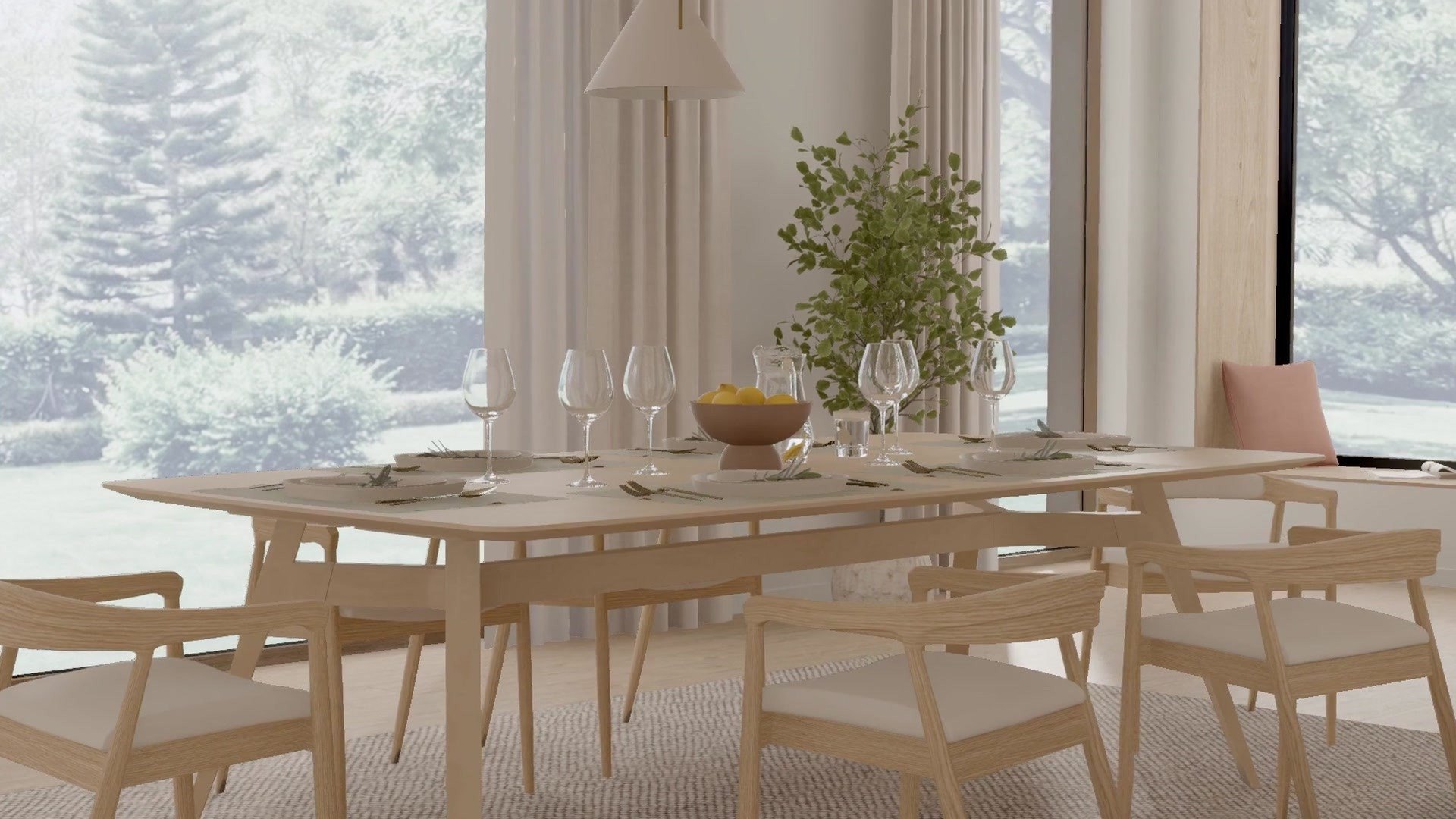
Studio is Physicl's first app. Researchers describe the problem their model has. Studio proposes a matching scene from a library of 10,000 environments and 100,000 underlying assets built from real 3D geometry, suggests the variations that cover it, and renders images and video with exact ground truth on every frame: depth, surface normals, segmentation, boxes and camera pose.
Today we announced our seed round and launched Studio. This post covers how it works, what makes the data trustworthy, and how teams use it.
Physical AI models do well on the conditions they have seen and break on the ones they have not: low sun across a counter, an object half hidden behind clutter, a camera a few centimetres lower than in training. Those cases are rare by definition, so capturing sufficient real-world data at sufficient scale is nearly impossible.
Collecting more footage does not fix it. You cannot schedule the rare case, you cannot repeat it with one thing changed, and you cannot label it exactly. Teams end up knowing where their model fails without any way to get the data that would fix it.
1. Describe the problem. Start from what goes wrong, in plain words, the way you would explain it to a colleague:

2. Studio proposes the scene and the variations. It picks a matching kitchen from the library and places the objects physically: everything rests on a surface that can hold it, nothing intersects, walkways stay clear. It then suggests what to vary to cover the problem: time of day, how much of the mug is hidden, which objects sit around it, camera height.
3. Adjust what changes and what stays fixed. In the interface, you keep, drop or tune each variation and its range. You also lock what must not move, such as the camera path, so any difference between two clips comes from the conditions you chose.
4. Render and export. Studio renders images or video with every ground truth layer you selected, and records the conditions behind each frame: time of day, which objects moved, how much of the mug is hidden.
Labels by construction. Depth, normals, masks and boxes are computed from the 3D scene that produced the image, not predicted by a model or drawn by an annotator. There is no labeling error to inherit, thin and half-hidden objects get pixel-exact masks, and the labels stay right when the light drops.
Physical grounding. Every scene is built from real geometry with known materials, and rendered with physically based light. Objects sit where they physically could, at real-world scale, so what a model learns about size, distance and occlusion holds up outside the render.
Controlled variation. Each condition is a parameter, not an accident of capture, so you decide exactly what changes from one image to the next.
| Output | On every frame |
|---|---|
| Image or video | RGB render, up to 1920x1080 |
| Geometry | Depth and surface normals |
| Objects | Instance and class segmentation, 2D boxes with class and instance ID |
| Camera | Pose for every frame |
| Scene | Light, layout, object list and any metadata your pipeline needs |
Each existing way of getting training data trades something away. Studio is built to keep realism, exact labels and control at the same time.
| Realistic scenes | Exact labels | Repeatable, one change at a time | |
|---|---|---|---|
| Real-world capture | Yes | No, labeled by hand or by models | No |
| Procedural randomization | Often not, by design | Yes | Yes |
| Generative image and video models | Often | No, inferred after the fact | Limited |
| Studio | Yes, real 3D, physically based light | Yes, from the scene | Yes |
Light and time of day, objects, clutter, materials, camera height and path. Vary a single axis, or vary all of them to cover the long tail at once.
10,000 environments and 100,000 underlying assets, from homes to warehouses, hospitals and construction sites. Every Studio user works with all of it.
Studio starts with images and video because that is where most teams feel the gap today, and a lot more is coming. The aim doesn't change: much better models, from the first training run to the rarest case. Our announcement covers the bigger picture.
Studio changes every week. New scenes land in the library every day, and the controls, layers and export formats grow with what teams ask for. If you test Studio, tell us where it falls short: that feedback helps decide what we build next.